The One-Person Company Playbook: How Solopreneurs Run Agency-Level Work with 3–5 AI Agents
A one-person company running $200K–$500K in annual revenue — handling client work, content, outreach and operations — is not a thought experiment in 2026. It's a business model.
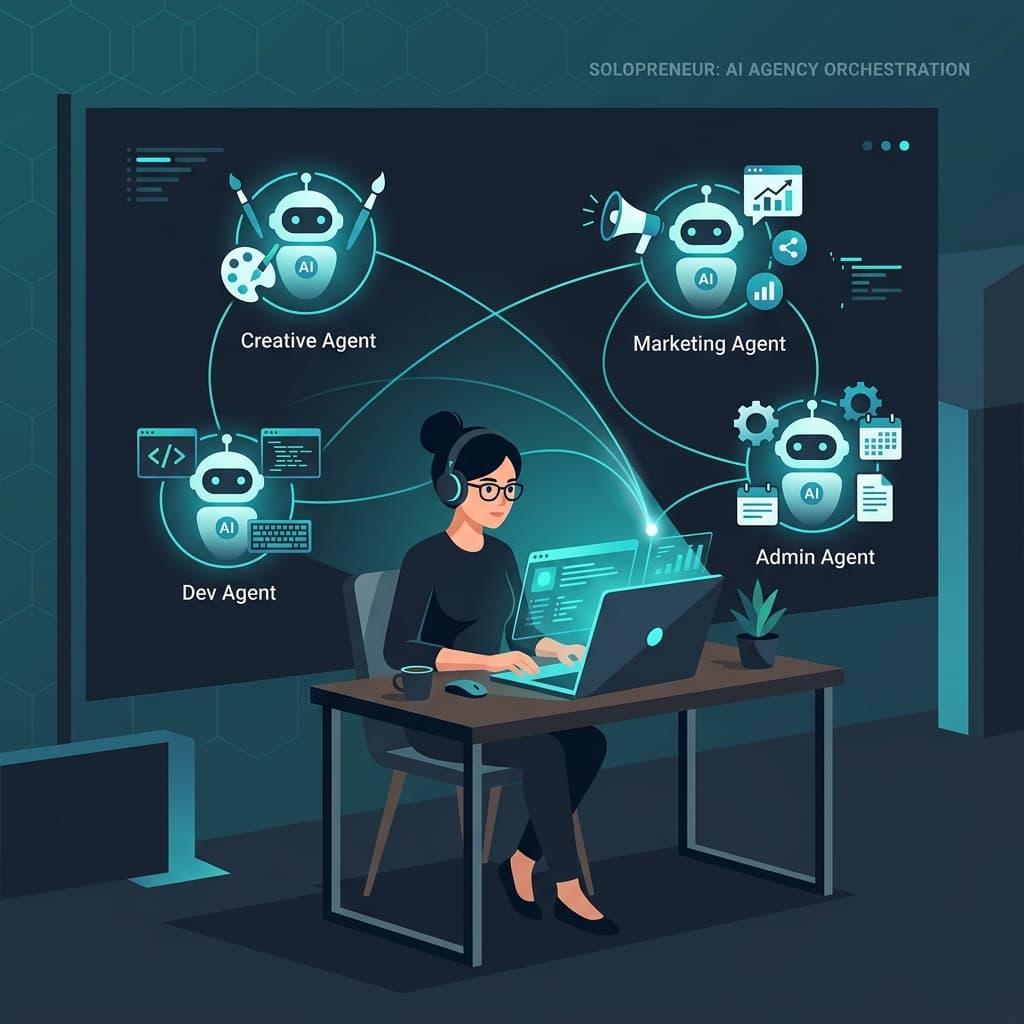
AI adoption among solopreneurs has hit 74% and solo business applications in high-AI sectors are up 27% year-over-year. But most of the conversation is still about tools, not systems. Having five AI subscriptions is not the same as having an AI-powered business.
This guide covers the operational model behind one-person companies that actually work at scale: what they automate, what they don't, where they put humans and what breaks when they try to grow too fast.
What Is the One-Person Company Model (And Why 2026 Is Different)
A one-person company is a business run by a single operator — consultant, agency owner, creator, or service provider — with AI agents handling the execution work that would otherwise require a team.
The critical distinction from previous solo-operator models: the advantage is no longer working harder or faster than a team. It's workflow orchestration — designing a system where AI agents handle production tasks in sequence, while the human owner handles the things AI cannot: strategy, relationships, creative judgment and final approval.
This is a structural change, not a productivity hack. A 2015-era solo consultant competed on hustle. A 2026 solo operator competes on system design.
What changed? Three things converged:
- LLMs got good enough for production work. Claude, GPT-4o and Gemini can now produce research summaries, first-draft deliverables, client reports and social content that meet a professional bar without heavy editing. API costs dropped below $0.01 per 1,000 tokens in 2026, making AI-assisted production economically viable even for a single-person operation.
- No-code automation platforms matured. Make.com, n8n, Zapier Agents, Relay.app and Gumloop now let non-developers build multi-step AI workflows without writing code. What required a developer and two weeks of build time in 2024 now takes a solo operator a weekend.
- The market validated the model. Fortune, Forbes and AI Business VC have all documented real one-person operations running at agency output levels in 2026. The question is no longer "can this work?" It's "how does it work and where does it break?"
The Orchestration Model: 1 Human + 3–5 Agents = Agency Output
The operational core of a functioning one-person company is not a list of tools — it's a division of labor between a human strategist and a small fleet of AI agents.
The human owner handles:
- Client relationships and final approval
- Strategy and creative direction
- Quality control on outputs that ship externally
- Anything that carries reputational or financial risk
AI agents handle:
- Research and data gathering
- First-draft content production
- Scheduling, sequencing and routing
- Reporting and summarization
- Inbox triage and initial response drafting
The formula is not "automate everything." It's "automate everything that doesn't require judgment and put a human checkpoint before anything that affects a client relationship."
Most functioning one-person operations run 3–5 agents. More than that creates coordination overhead that cancels out the productivity gain. The most common stack covers five functions: a research agent, a content/writing agent, an outreach agent, a scheduling/admin agent and a reporting agent.
The 5 Workflow Categories: What to Automate and What to Keep
Not all workflows are created equal. The fastest solopreneur stacks start by identifying which workflow category each task falls into, then automating accordingly.
Category 1 — Content Production
Research, first drafts, social posts, email newsletters and client reports are the highest-ROI automation category for most solopreneurs. A well-prompted Claude workflow can produce a research summary + first-draft blog post in under three minutes. The human's job is to edit, approve and add the judgment layer that makes it sound like you.
Automate it. Build a checkpoint before anything goes to a client or publishes publicly.
Category 2 — Outreach and Follow-Up
Initial prospecting research, personalized cold email drafts and follow-up sequence management can all be automated. The research agent identifies the right contact and gathers context; the writing agent drafts a personalized email; the human reviews and sends (or approves batch sends).
Automate the research and drafting. Keep a human on the send button until you trust the system.
Category 3 — Scheduling and Admin
Meeting scheduling, invoice reminders, intake form processing and task routing are low-risk, high-frequency tasks that are strong automation candidates. These rarely require judgment and almost never affect client perception if they go slightly wrong.
Automate it fully. This is where you recover the most time per week.
Category 4 — Client Reporting
Weekly status reports, project summaries and performance dashboards can be generated automatically if your data sources are connected. A reporting agent that pulls from your project management tool + analytics + CRM and writes a summary email saves two to three hours per client per week.
Automate the generation. Human reviews before sending.
Category 5 — Strategic Work
Positioning decisions, pricing, proposal structure, client strategy and relationship management should stay human. These are the tasks where your judgment is the product. Automating them removes the reason clients hire you.
Do not automate. This is where you put the time you've recovered from categories 1–4.
What Actually Breaks When a Solopreneur Tries to Scale
AI Business VC's "One-Person Company Is Real — But Here's Where Solo Founders Hit a Wall" documented the most common failure patterns among solo operators who tried to grow past 4–5 clients. Three patterns appear consistently:
- Context collapse. The AI agents stop producing good outputs because the operator hasn't maintained updated system prompts and context documents as the business evolved. If your Claude context still describes your service offering from six months ago, your AI-produced content will reflect that old positioning. Context rot is the silent killer of solopreneur AI stacks. (See: Context Engineering for Small Business.)
- Approval bottleneck. The solo operator becomes the chokepoint. Every AI output requires their review before it can ship and when volume scales, the review queue fills faster than they can clear it. The fix is to build tiered approval rules before you scale — not after. Low-stakes outputs run without review. Medium-stakes outputs get a two-minute scan. High-stakes outputs get full review. Without these tiers defined, everything piles up at the same checkpoint.
- No recovery system for AI errors. Every AI workflow produces errors. The question is whether you catch them before they reach a client. Solo operators who don't build error-detection steps into their workflows accumulate invisible failure over time. A missed follow-up email, a wrong company name in an outreach draft, a client report that summarized the wrong project — these are recoverable individually. But they compound if there's no system to catch them. (See: Human-in-the-Loop AI.)
A Real Workflow: Solo Consultant, Client Intake to Delivery
Here's what a functioning one-person consulting workflow looks like using tools available today:
Trigger: New client inquiry via contact form
- Step 1 — Research agent (Claude + web search via Make.com): Pulls the prospect's company website, LinkedIn and recent news. Generates a one-page brief on the company's business, likely pain points and relevant services. Deposits brief in a Notion client folder.
- Step 2 — Human checkpoint #1: Owner reviews the brief (2–3 minutes), adds any personal context ("I met their CMO at a conference") and approves or modifies before the next step runs.
- Step 3 — Outreach draft agent (Claude via Make.com): Generates a personalized response email referencing the prospect's specific situation, proposes a 30-minute discovery call and drafts a short pre-call questionnaire.
- Step 4 — Human checkpoint #2: Owner reviews and sends (or edits and sends). The key judgment call — whether to pursue this prospect, how to frame the offer — stays with the human.
- Step 5 — Admin agent (Calendly + Zapier): Schedules the call, sends confirmation and creates a task in the project management system for follow-up.
- Step 6 — Reporting agent (Claude + Google Sheets): After the call, generates a CRM summary, updates the prospect record and triggers the appropriate follow-up sequence.
Total human time: approximately 8–12 minutes per prospect. Without the system: 45–60 minutes.
Common Mistakes Solopreneurs Make with AI Stacks
- Building too many automations too fast. The most reliable solopreneur stacks start with one workflow, prove it works and expand from there.
- Treating AI drafts as final outputs. Every AI output that ships to a client should pass through at least one human checkpoint.
- Ignoring context maintenance. Schedule a monthly 30-minute review of your system prompts. Update them when your services, target client, or positioning changes.
- Using too many separate tools. The most productive solopreneur stacks run on 3–5 tools total. (See: How to Audit Your AI Tool Stack.)
- Not documenting what the system does. When something breaks — and it will — you need to know exactly which step failed. (See: Why AI Agents Fail.)
Your 90-Day Build Sequence
At 90 days, you should have a functioning 2-workflow system with clear approval rules and a maintenance protocol. That's the foundation. Everything else is an expansion on top of it.
FAQ
A: Most effective one-person stacks run $150–$400/month. This typically covers one primary LLM subscription (~$20/month), a workflow automation platform ($20–$50/month) and a CRM or outreach tool ($0–$50/month). The same output would cost $8,000–$15,000/month in contractor or staff time.
A: No. Make.com, Relay.app and Zapier Agents let you build multi-step AI workflows without code. Basic prompt engineering — how you write instructions to AI — is the primary skill you need.
A: Most solo consultants report being able to handle 4–8 active clients with a well-built system, compared to 2–3 without. The bottleneck shifts from production capacity to strategic attention — which is the right bottleneck.
A: It will happen. Build your human checkpoints before anything ships externally. When an error gets through, document exactly where it happened in the workflow and add a detection step at that point.
Want to set up your own one-person agency stack?
AgentMinds helps small businesses, consultants and founders build practical AI automation systems. Learn how we can help you build your one-person company stack.
Get Started Now